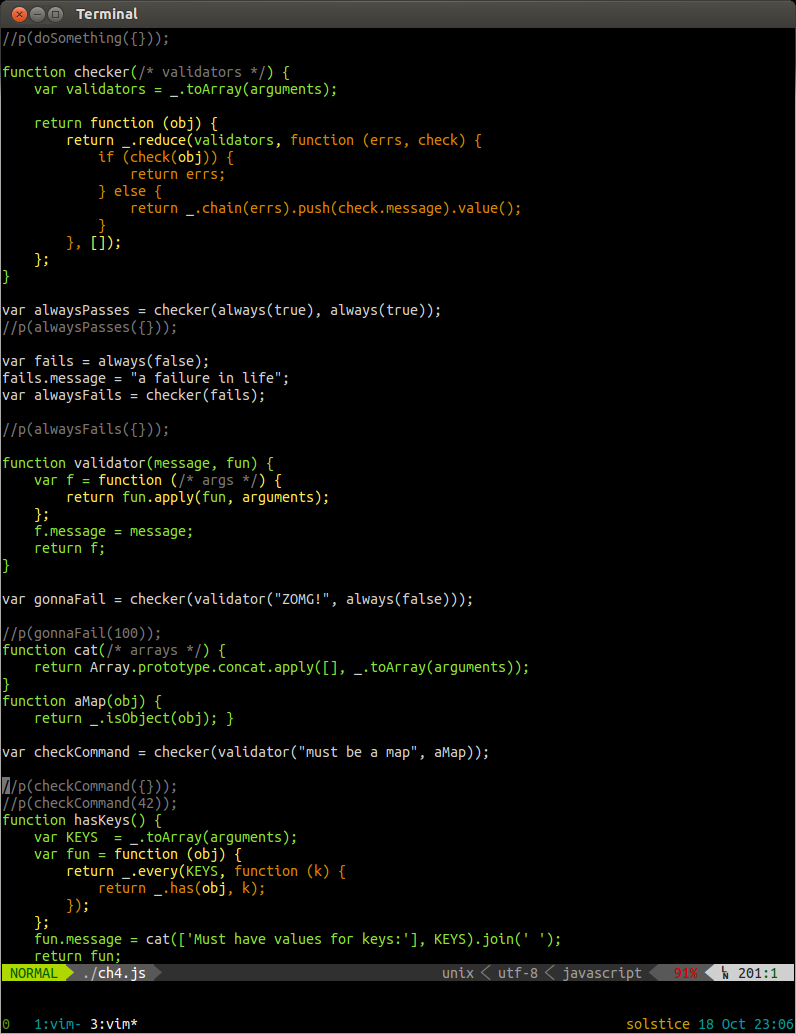
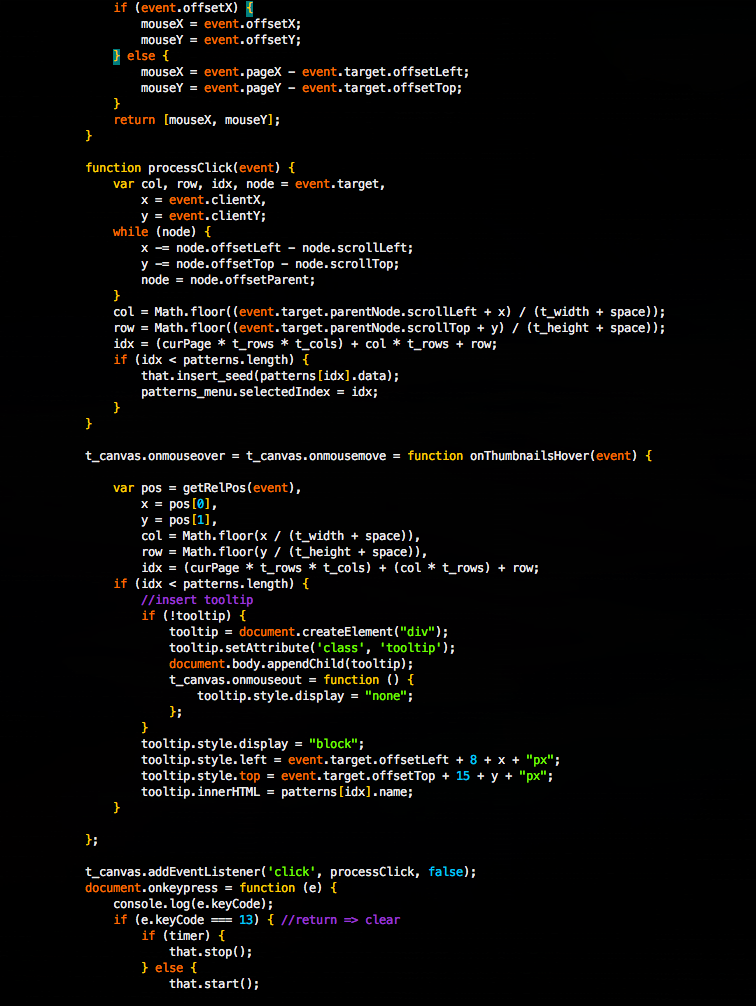
I made a plugin for the Vim text editor to highlight JavaScript code
according to its scope. This was inspired by an idea by Douglas
Crockford in his
presentation at YUIConf
2012. See from around the 16 minute mark onwards. I can’t really
claim to understand monads – apparently the curse is still in effect! –
but this idea for highlighting functions in JS struck me as a really
good idea, and something that I could do in Vim. Well, I finally got
around to doing it. This is what it looks like in action:
Notice how functions defined inside other functions are progressively
colored differently, making their scope clear. Also, closure variables
are colored according to scope they were defined in. I find that this can
help make such code easier to read and understand. It is particularly
helpful when writing/reading code in a ‘functional’ style. The example
code here is from a book I’m reading: Functional JavaScript
by Michael Fogus.
One of the common misunderstandings about JavaScript is that it does not provide encapsulation,
and therefore is not fully capable of Object Oriented Programming.
While EcmaScript 3 does not have syntax to specify which members of an
object are private or read-only, this is addressed in EcmaScript 5, with
the new Object API.
However even without the new syntax, it is perfectly possible to achieve encapsulation in
JavaScript objects.
The key is understanding how scope works in JavaScript. The main thing
to keep in mind is that JavaScript is function scoped: variables are
visible anywhere within a function, including within functions which are
defined within that function. This is the property of ‘closure’.
The other important thing to understand is that JavaScript does not have
Classes, but rather constructor functions. So when you say,
1
vardog=newDog();
What really happens is that the Dog constructor function gets called,
with ‘this’ set to the prototype of the constructor. The prototype is
simply another object, which defaults to a plain old Object, but can be
specified in code, eg.
1234
Dog.prototype={bark:function(){}}
The effect of this is that the dog object will be able to use members
which exist in the prototype object, so dog.bark() will work.
Encapsulating State
So how do we get ‘private’ members in objects? The trick is to use
the closure property of the constructor function itself, and define some
accessor methods within it:
If you want to make a private variables which are not arguments to the
constructor, you can do that by simply declaring them at the top of the
constructor function:
1234567891011121314151617
functionDog(name){varage=0;this.getName=function(){returnname;}this.getAge=function(){returnage;}//example of setter:this.setAge=function(newAge){age=newAge;}}
So we could continue in this way, and declare all the methods of the
Dog inside the constructor function, and enjoy the benefits of having
encapsulated properties. That would work fine, but the
downside is that these functions are being re-created every time the
constructor is called. This is a waste of memory.. not sure how much of
an issue this is in reality unless you’re making thousands of them, but
it is something to avoid if possible.
Preventing Memory Loss (What memory problem?)
While it is not possible to completely avoid some duplicate functions,
the memory used can be mitigated as follows: if you make getters/setters for all
your properties that you want to be private, then you can define the
rest of the methods on the prototype to use the getters/setters. This
way the only duplicated functions are the getters/setters, which should
be very lightweight (couple lines each), and shouldn’t result in memory
issues, unless you’re making a particle system or something.
So this way you have the protection of encapsulated state, and avoid
duplicating all your methods in every instance, thanks to prototypal
inheritance. Now getters & setters may be distateful to you, but it is
the best solution to this issue I can see, and it has the additional
benefit of adding a layer of abstraction to your code, so you could
change the way the state values are implemented, without changing a
bunch of references to properties throughout the class.
Inheriting
As always, for inheritance to work with non-empty constructors,
it is important that you explicitly call the prototype’s constructor:
So we have private variables which can only be accessed by the
get/set functions we declared in the constructor. But what about private
functions? They too can be declared in the constructor function as inner
functions:
12345678910111213141516171819202122
functionDog(name){varage=0;//private functionfunctionscratch(){console.log("scratch");}this.getName=function(){returnname;}this.getAge=function(){returnage;}//example of setter:this.setAge=function(newAge){age=newAge;}}
The limitation here is that while such inner functions can be called by other
functions which are defined within the constructor, they cannot be called by prototype methods.
You could put all methods which need to access the private methods also
inside your constructor, but then you’re back to the memory issue.
A way around this is to wrap the entire definition of the constructor
and prototype in a closure function, which contains the private methods.
This is basically the module pattern,
and indeed if you are defining a constructor function inside a module,
you can take advantage of the hiding effect of the module.
But there is an important gotcha here:
these methods (and any other vars they access) are static: they are
shared between all instances created with the constructor function
contained within the same module. So you need to be aware of this.
This is not a problem if you have static constants and ‘pure functions’
without side-effects encapsulated in your module. But it is potentially dangerous that one instance
could call a method which could affect other instances… a kind of state
contamination which is best avoided. Static and stateful just don’t go
well together.
Perhaps perhaps private instance methods are not absolutely necessary, and may be detrimental.
AFAIK Smalltalk does not have them either, and takes a
similar approach to that outlined here, of encapsulating state
by only exposing methods (strictly speaking, ‘messages’, in Smalltalk),
not properties. And Smalltalk is the archetypal Object Oriented language.
To be honest, I’ve never really found myself feeling the need for all
this privacy, but I’m excited to have found a way to do it without
using a third party Class system for JavaScript.
If you are a web developer, you have most likely thought to yourself
occasionally, “I really wish I didn’t have to hit refresh a million times a day
to see my changes take effect…”. Well, finally there is an answer: LiveReload
comes to the rescue with a tool which automatically refreshes the browser
whenever some of the files used by it are changed.
The 2.0 version is a nice Mac App, which I am using at home, but I also tried out
version 1.x which is distributed as a RubyGem,
and it worked fine on Ubuntu… and it apparently works fine on Windows too
(after you have installed Ruby… see instructions on the GitHub readme).
After you have installed the app or gem, you can either embed a JavaScript on
your page, or install browser plugins
. I opted for the plugin route, which adds a button to your browser chrome
allowing you to enable LiveReload for the current URL. Note that it is necessary
to restart the browser completely for it to work. This means on Firefox you will
need to restart twice: once to install the plugin, and again to get it working.
Another issue I saw with Firefox was that the button didn’t show up on the
addons toolbar, so I had to ‘customize’ my toolbars and add the ‘LR’ button
which was now available as an option.
The other thing you need to do is tell LiveReload which folders to watch for
changes. On the Mac App, you can use the Finder to select the folders, while
with the RubyGem you need to give the folders as command line arguments.. or
just type ‘livereload’ in the folder you want to watch, if there is only one.
Another benefit of LiveReload is that you can hitch multiple browsers up at
once, to verify that your code behaves consistently across browsers. Great for
cross-browser testing while you work.
Furthermore, when you are writing specs or unit tests for your code, you can have
the tests running in another browser, and watch as they pass or fail, all
without leaving your editor.
Finally, the version 2 has options to auto-compile SASS, Less, CoffeeScript and
similar meta-languages which compile into HTML, CSS, or JavaScript. While the
Mac App is initially free to use (it is still beta, but I did not experience any
problems), I see that the update to the final 2.0 version will require some
payment. However, if you just want auto-refreshing on changes, without
pre-compilation, then you can continue to use the 1.0 version (or presumably the
Beta App ?).
In case you are wondering how LiveReload works, I took a gander at the
Javascript which the plugin embeds, and it uses WebSockets to receive
notifications from the livereload app, which starts up a socket server
I think LiveReload is going to make my experience as a web developer much less
annoying and more Zen-like :)
ps. I am not being paid by LiveReload to say any of this..
If you know of any other solutions to this perennial problem, I would certainly
be interested to hear of them!
I recommend using pathogen to manage plugins, as then you can simply clone the
plugin repos into your .vim/bundle directory and you’re done. (and run ‘:Helptags’ to install help).
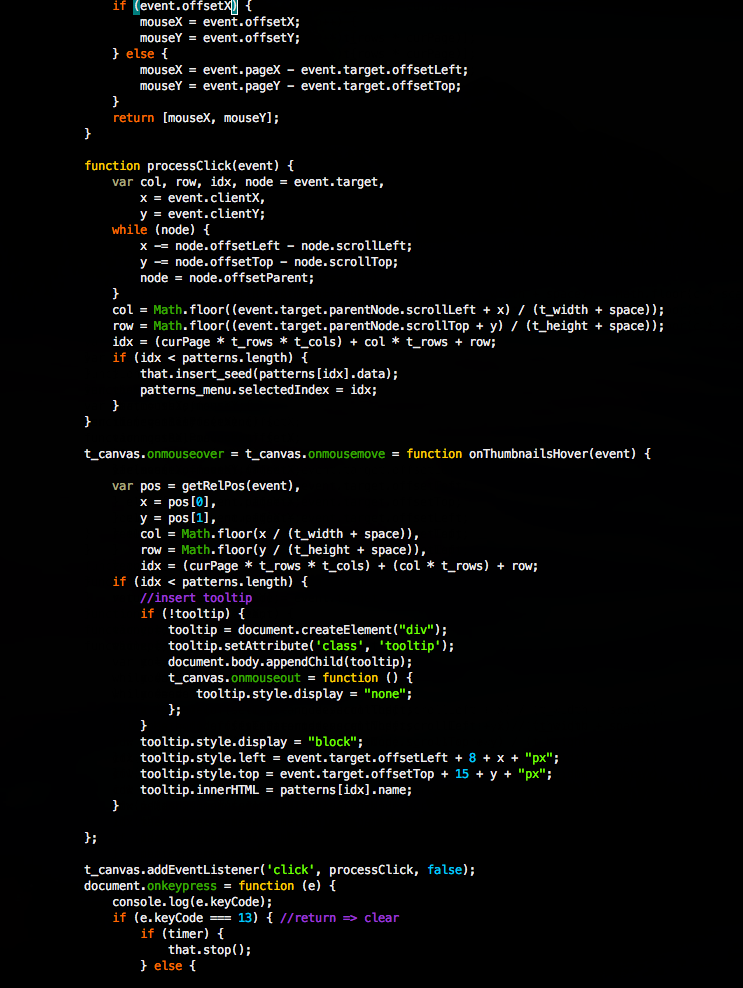
While this is not bad, I personally prefer another Javascript syntax definition file,
which provides a more complete set of keywords (eg. browser events such as ‘onmouseover’),
and thus highlights them differently. To use it, download and copy it to
~/.vim/syntax/javascript.vim
Now when viewing the same .js file, you will notice a few differences:
Folding
Another feature which this syntax file adds is the ability to fold functions.
You can fold a function by positioning the cursor within it and typing ‘zc’.
Then it will collapse to a single blue line with the function definition
highlighted in it, and the number of lines contained within the fold. This can
be a handy way to defocus attention from functions you are not interested in. It
works in nested functions as well.
Whitespace settings
I generally want Javascript to have spaces instead of tabs, with 4 spaces for each
indent level. This can be achieved by adding the following content as the file
.vim/after/ftplugin/javascript.vim
" set whitespace for javascript to always use 4 spaces instead of tabs
setlocal expandtab
setlocal shiftwidth=4
setlocal shiftround
setlocal tabstop=4
Indentation
Vim’s default indent file for javascript merely sets the indentation to
cindent… this is not very effective. For best results, go get the
web-indent plugin.
Then you can use the builtin indent commands (essentially ‘=’ in command mode,
combined with a motion, eg. ‘gg=G’ for the whole file, or just select some text
in visual mode and hit ‘=’).
I just managed to submit my JS10K entry in time, having spent a lot of time implementing compression hacks like converting the code and data into images using node-canvas. Turns out I may not have needed to worry about that as the competition now lets you submit a .zip file, and only considers the size of the .zip file, not the files within it. Somehow I missed that. Oh well.
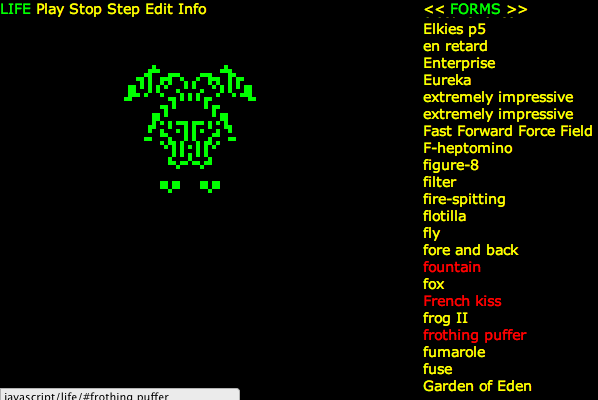
Here is a link to one of my favorite lifeforms, the Frothing Puffer:
In order to meet the size restriction of the competition, I had to leave out some functionality that I developed earlier, such as thumbnails of the lifeforms. So here is the uncut version, with thumbnails, and all of the lifeforms in it.
Actually, there are a couple of features in the competition version which are not in this version: The ability to link to a pattern using the URL, and also the ability to edit the seed pattern (albeit in text form). I have thoughts of making a version with a more visual editor, which would let you turn on cells by clicking on them, and perhaps save and share them with others. But I’m not sure if I’ll get around to it… life is short :P
I must give credit to the David Silver’s LIFE Lexicon, where I obtained the seed patterns. As always, Da Code is available on GitHub. Note that the competition version is in the JS10K branch.